
Create a Wallet
Understand account control first, create the wallet on a trusted device, and finish an offline backup before moving assets.
Read guide →imtoken
A multi-chain wallet, blockchain network and Web3 knowledge hub from imtoken
Understand multi-chain assets, network selection, transfers, DApp connections, token approvals, blockchain networks and wallet security in one clear product and knowledge hub. Every action should be grounded in verifiable network, address, transaction and permission details.
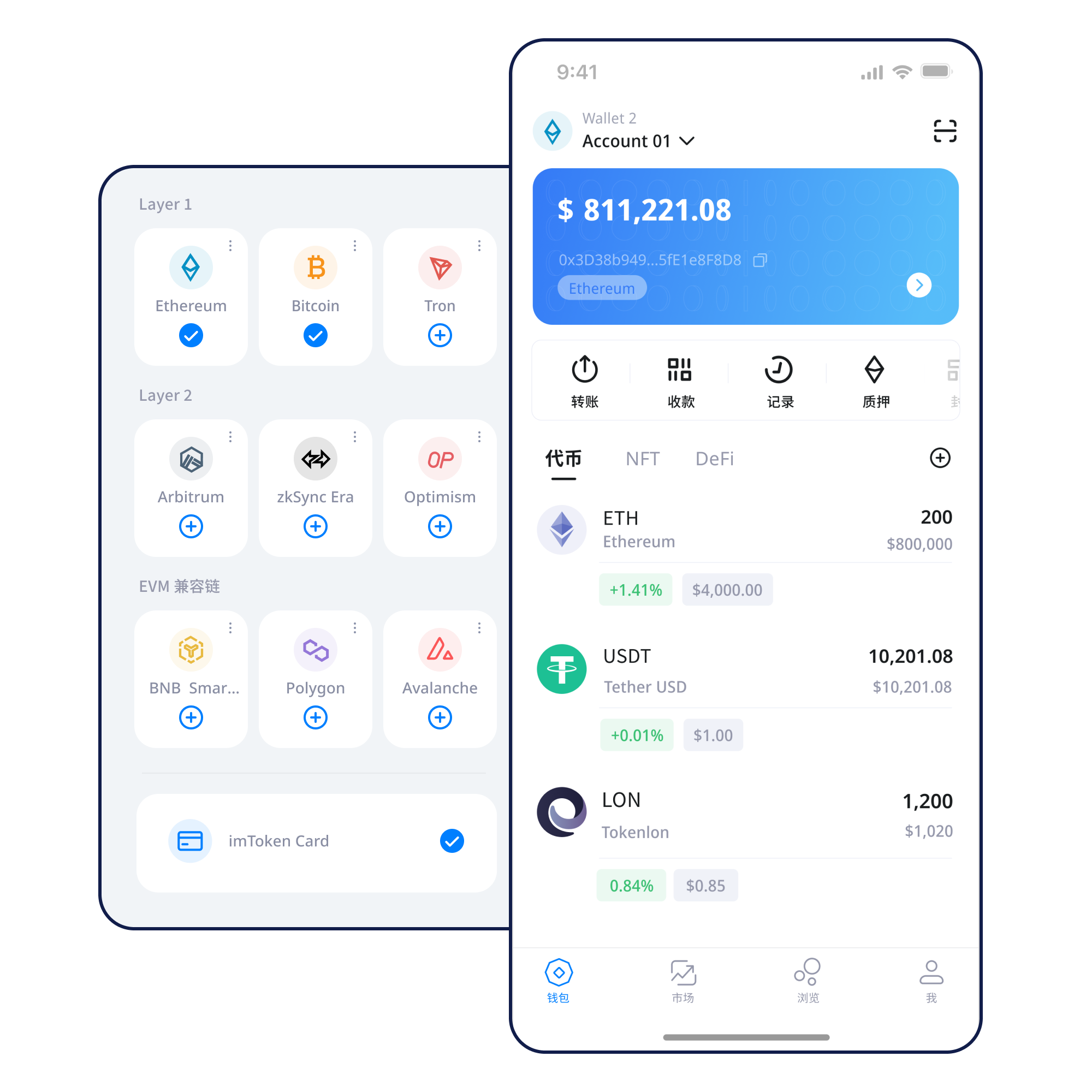
You do not need every term at once. Start with the action in front of you, then follow the checks for control, addresses, networks and on-chain results.
Understand account control first, create the wallet on a trusted device, and finish an offline backup before moving assets.
Read guide →Seed phrases and private keys are not ordinary passwords. Record them offline, verify the order, and never send or cloud-sync them.
Read guide →Confirm the network before sharing a public receiving address, then use the transaction hash and explorer to verify the on-chain result.
Read guide →Re-check address, network and amount before sending. For a new address or network, consider a small test transaction first.
Read guide →Verify the domain and active network before connecting an account, then review every signature or approval as a separate request.
Read guide →Assets, networks, transfers, DApps and security are connected, but each has a different verification focus.
When viewing assets across networks, keep the network, address and confirmations together. Similar address formats do not mean assets exist on the same chain.
Use mobile asset views, network management, transfers and transaction history. Re-check gas and DApp context after a network change.
For receiving, verify address and network. For sending, add amount and gas checks, then keep the transaction hash.
Transfer workflow →Understand browser connections, account requests, signatures, DApp access and disconnection; disconnecting does not revoke on-chain approvals.
Keep seed phrases and private keys offline, review approval targets and scope, and never disclose wallet-control secrets.
The same address format, asset name or interaction pattern can represent different states across networks. Build the right context by topic.
Multi-chain
One wallet can access multiple networks, while ledgers, gas and asset state remain separate. Switching networks does not move assets across chains.
Learn more →Public Chains
Understand chain state through nodes, blocks, transactions and confirmations; the transaction hash is a key index for public records.
Learn more →
EVM
EVM networks can share familiar address formats, but the network, gas, contract and token approval still need separate review.
Learn more →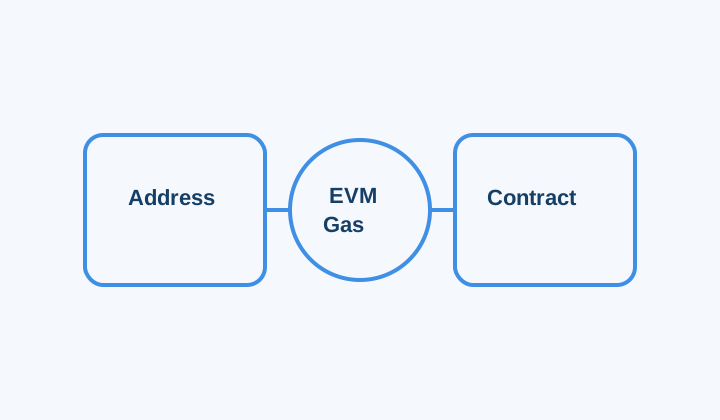
Layer 2
Layer 2 systems maintain a settlement or security relationship with mainnet. Moving assets across layers often uses a bridge and can involve waiting periods.
Learn more →
Gas & Confirmations
Gas pays for execution. Confirmations accumulate after inclusion in a block, and a transaction hash helps track progress during congestion.
Learn more →Connect control, network, transfer and permission checks so you understand what happens rather than only where to click.
Use the website download entry and avoid installing software from unknown links in unsolicited messages.
Create or import only in a trusted device and software environment; importing brings wallet-control credentials onto that device.
Store the seed phrase offline, verify its order, and never disclose private keys or verification codes.
Confirm sender, recipient and target application support the same network, with the native gas asset available.
Check address, network and amount before sending; consider a small test for a new address or important transfer.
Keep transaction hashes, review DApp requests before signing, and periodically remove approvals you no longer need.
Web3 & DApp
Treat connection, message signing, transaction signing and approval as separate decisions. The domain, network, contract and permission scope should match the action you actually intend.
Open the Web3 guide →Security
Wallet security is not a single switch. It combines offline backup, device hygiene, domain verification, network checks, transaction verification and approval management. Seed phrases and private keys remain under user control; legitimate staff will not request them. On-chain transactions generally cannot be reversed unilaterally by a wallet provider, and third-party DApps or smart contracts can introduce risk. Verify the origin, network, target and impact before each transfer, signature or approval.
Open Security Center →From a first receive transaction to a first DApp connection, learn the core concepts before moving into more complex network and contract actions.
Put addresses, seed phrases, private keys, networks, gas, transaction hashes, DApps and approvals on one mental map. Addresses identify accounts publicly, recovery secrets represent control, networks define the ledger, gas pays execution costs, transaction hashes verify results, and DApps introduce contract permissions.
Start learning →Understand nodes, blocks, transactions and confirmations.
Build a foundation from gas and tokens to approvals.
Understand mainnet relationships, bridges and arrival confirmation.
Connections and approvals are different permissions.
Connect secret protection, devices and transaction checks.
Understand common on-chain terms quickly.
Understand staking as a protocol mechanism with risks, not as a return promotion. Rewards, exits, waiting periods, validator state, contracts and markets can change.
Ethereum PoS relies on validators for consensus. Rewards come from protocol mechanics and vary with network conditions and validator performance; withdrawals and exits follow protocol rules and can involve waiting.
Learn Ethereum staking →Validators can face protocol penalties, smart contracts can fail, third-party services add risk, and digital asset prices can move. Staking does not guarantee returns; participation should fit your own circumstances.
Understand PoS & validators →No invented dates, partnerships, user counts or market rankings. Updates focus on product, network, security and service information that users can act on.
Clarifies the order for network switching, transaction verification and approval review.
Switching networks does not move assets; bridging and cross-layer actions require verification on both sides.
Do not disclose wallet secrets during so-called verification, recovery, upgrade or support procedures.
Rewards can change; exits can take time; validators, smart contracts, third-party services and asset prices all involve risk.
Start with the boundaries that most often affect real actions, then continue to the full FAQ.
No. imtoken will not ask for a seed phrase, private key or verification code. Troubleshooting should rely on public information such as the network, public address or transaction hash.
Some networks share similar address formats while maintaining separate ledgers. A wrong-network transfer can leave the recipient unable to see the asset directly.
Gas pays for network execution and normally uses the network’s native asset. Costs can change with demand and transaction complexity.
No. Connection, message signing, transaction signing and token approval are separate requests, although each still needs independent review.
Keep the transaction hash and check status, confirmations, recipient and token contract on the correct explorer before deciding whether it is a delay or display issue.
There is no guaranteed fixed return. Rewards vary, exits can involve waiting, validators can face penalties, and contract, service and asset-price risks remain.
All downloads use the dedicated download page. Before transferring, signing or approving, review the network, address and request details.